
Multilingual website: how to build one that ranks in every language
Author: Adriano Orkisz
The short answer
A multilingual website ranks on Google when each language has its own address, its own full text and hreflang tags that link the versions together. A button that translates the page on the fly is not enough: Google does not index that translation, and foreign customers never find your website in their language.
Who needs a website in several languages
On the Costa del Sol and the Costa Tropical, many customers do not speak Spanish: British and Scandinavian property buyers, German and Dutch tourists, Polish residents. If you sell to them, your website has to be in their language and show up when they search in it. Someone in London searches for "estate agent Marbella", not "inmobiliaria Marbella", and someone in Warsaw searches in Polish.
Five rules so every language ranks
1. A separate address for each language
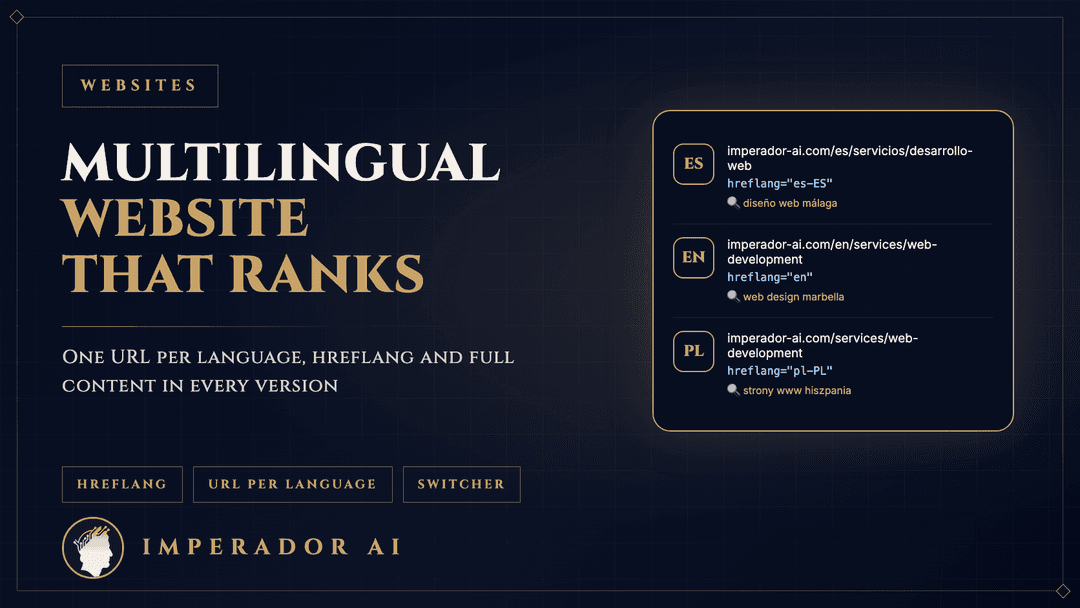
Google recommends using different URLs for each language version rather than switching the language with cookies or browser settings. The simplest option is one folder per language: /es/, /en/, /de/. You can translate the end of the address too, for example /es/servicios/diseno-web and /en/services/web-development.
2. Hreflang tags in both directions
Each page tells Google about its versions in other languages with the hreflang tag. The Spanish version points to the English one and the English version to the Spanish one; if the link only goes one way, Google ignores it. Add a default version (x-default) as well, for people searching in a language you do not offer.
3. All the content translated, not just the menu
Google warns that translating only the shared parts of a page, such as the menu or footer, while the main content stays in one language makes for a poor experience. Each version needs its own title, its own description for Google, its own text and image alt text in that language.
4. A visible language switcher
Google recommends linking from each page to its other language versions. The switcher should take people to the same page in the other language, not to the homepage. That way customers do not lose what they were looking at, and Google finds every version.
5. The text decides the language, not the code
Google detects the language from the visible content of the page, not from the lang attribute in the code or from the URL. An English page with half its text in Spanish confuses both the search engine and the customer.
Translate or adapt
A good website in another language is not a word-for-word copy. Searches change: in English people search for "web design Fuengirola", in German "Webdesign Marbella", in Spanish "diseño web Málaga". Examples, units and concerns change too: a British buyer asks about buying costs, a German tourist about cancellation.
Machine translation, especially with AI, is a good starting point, but review it before you publish. On our estate agency websites a listing is written once in the back office, a button translates it with AI, and the translation is saved so it can be corrected before going live.
Common mistakes
- A translation widget on top of the website. Customers see the translation, Google does not, so you do not appear in searches in other languages.
- Hreflang pointing to pages that do not exist or that redirect. Google discards those tags.
- The same title in every language. Each version needs its own title with the words people search for in that language.
- Forms and emails only in Spanish. If the page is in English, the enquiry confirmation should be in English too.
- Redirecting without a choice. Google advises against automatically sending users to another language based on their location or browser. If you do it, limit it to the homepage, remember their choice and keep the switcher working.
What makes the biggest difference: forms and WhatsApp
A multilingual website does not end with the text. Customers write in their language and expect an answer in their language. So the automatic confirmation of each enquiry should go out in the language of the page they wrote from, and the WhatsApp button should lead to someone who can reply. If enquiries come in at all hours, an AI agent can answer in the customer's language and hand the conversation to you.
What it costs
Each language adds work: copy, proofreading, testing forms and emails. That is why the number of languages is one of the factors in a website's price. As a guide, our Next.js websites cost between €1,500 and €8,000 depending on pages, languages and integrations, and a landing page starts at €350. More detail in how much a website costs in 2026.
Two examples
The website of an estate agency in La Herradura runs in five languages, each with its own addresses, and translates listings with AI. Our own website is in Spanish, Polish and English, with hreflang between the three versions and a switcher that takes you to the same page in the other language.
If you want a website that ranks in several languages, see our Next.js web design or our pages on web design in Marbella and Fuengirola. Tell us which languages your customers speak and we will reply within 24 hours with a proposal and price.